
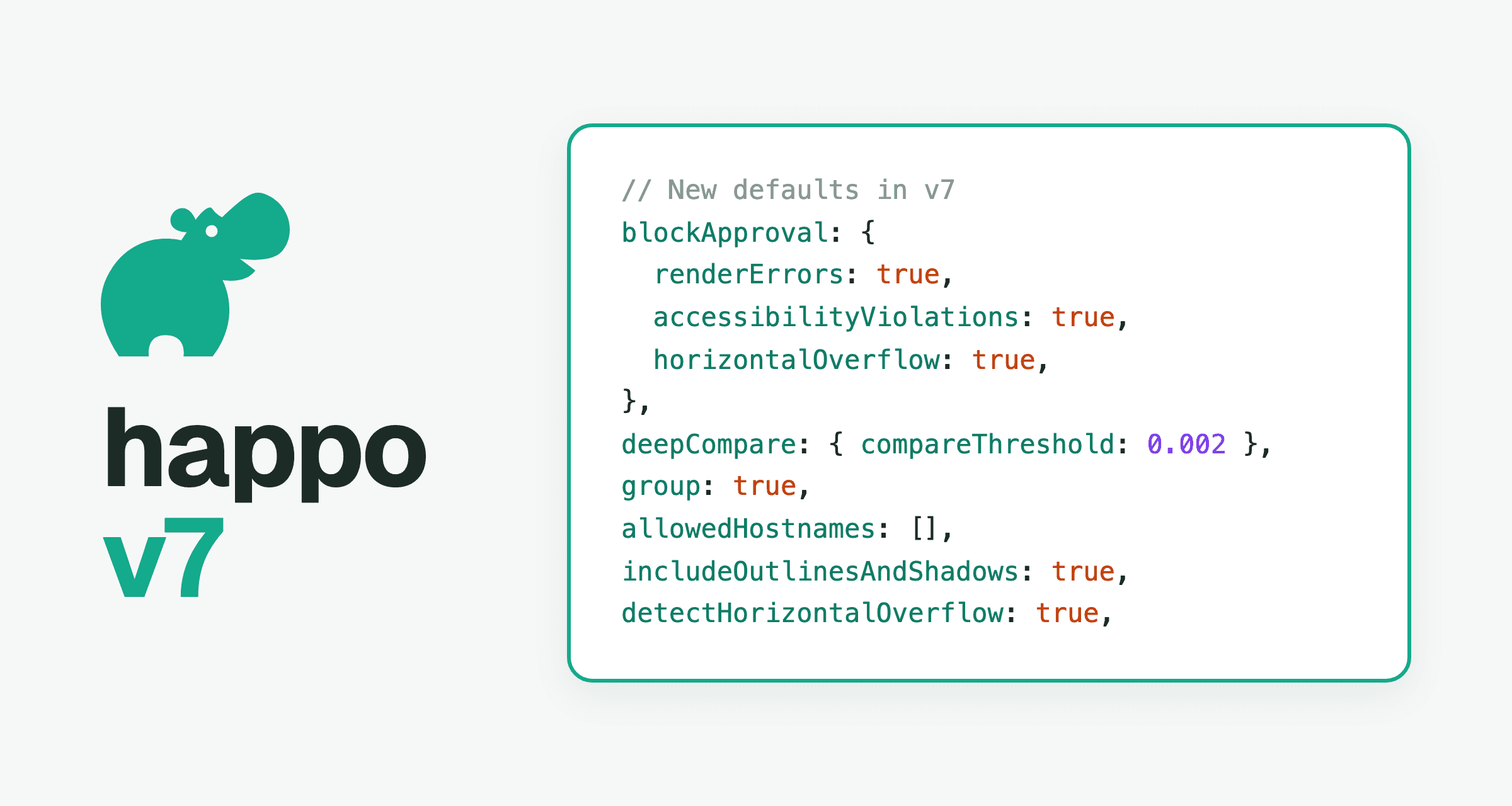
Version 7 of the happo npm package is out. Over the v6 releases, Happo got several checks that a project had to turn on in its config: blocking approval on render errors, deep compare with a threshold, screenshots that include outlines and shadows, horizontal overflow detection, and grouping projects into one status check. In v7 they are on by default. v7 also removes options that Happo now handles for you, and it treats a config option it doesn't recognize as an error instead of a warning.
Most projects upgrade by bumping the version, running Happo once and fixing what it reports. The rest of this post goes through the changes, and the Upgrading to happo v7 page in the docs has the full reference.
Requirements
- Node.js
^22.18.0or>=24.0.0. Node 23 is no longer supported. - Storybook v9 or later. Storybook v8 is no longer supported.
New defaults
Each of these was available in v6 behind an option. A config that already sets the option keeps its value. A config that doesn't gets the new default, and each one can be turned off.
Approval is blocked on render errors, accessibility violations and horizontal overflow
blockApproval now blocks on every condition unless you turn it off. A comparison can't be approved while its report has examples that failed to render, while it introduces new accessibility violations, or while a page starts to scroll sideways. This keeps a broken example or a new violation from being approved into the baseline, where later comparisons would no longer report it. See Keep render errors out of your Happo baseline for how render errors are reported.
To allow approval despite one of them, set it to false. A condition you leave out of the object stays on:
import { defineConfig } from 'happo';

export default defineConfig({
  blockApproval: {
    accessibilityViolations: false,
  },
});
Deep compare is on
A config without deepCompare now compares with a threshold of 0.002 and the color-delta algorithm. Differences too small to see on screen, such as anti-aliasing changes between browser versions, are no longer reported as diffs, so there are fewer diffs to review that don't need reviewing.
Settings in the config take the place of the project's settings on happo.io. If you set a compare threshold for your project on happo.io and have no deepCompare in the config, comparisons now use 0.002. Set deepCompare: false to keep using the project's settings.
External requests are blocked
A target without allowedHostnames now blocks every request to another host. A font, image or script from a CDN can load slowly or change between runs, and that shows up as a flaky diff. With requests blocked, a snapshot depends only on what's in your build. See Block HTTP requests to cut flake and lock down Happo workers.
If your examples need assets from other hosts, list them:
import { defineConfig } from 'happo';

export default defineConfig({
  targets: {
    chrome: {
      type: 'chrome',
      viewport: '1024x768',
      allowedHostnames: ['fonts.gstatic.com', '*.mycdn.example.com'],
    },
  },
});
The logs on happo.io list the hostnames that were blocked. With the pages integration, the hostnames of your page URLs must be in the list too. ios-safari and ipad-safari targets don't use the option.
Screenshots include outlines and shadows
With includeOutlinesAndShadows on by default, a screenshot grows to hold the outlines and outer box shadows that reach past the content. A focus ring or a card's shadow at the edge of an example is no longer cut off, so a change to it shows up as a diff.
This is the one change that gives you diffs on the first run after upgrading: every example with an outline or a box shadow at its edge gets a bigger screenshot. Accept those diffs once, or set includeOutlinesAndShadows: false on a target to keep cropping to the elements' boxes.
Horizontal overflow is detected
With detectHorizontalOverflow on by default, Happo measures whether each page reaches past the right edge of the viewport. A page that starts to scroll sideways is a diff even when its pixels haven't changed, which catches layouts that break on a narrow viewport.
Upgrading brings no diffs from this. A page that already scrolled sideways has a baseline taken without the measurement, so it is flagged on the comparison page but doesn't become a diff or block approval. Set detectHorizontalOverflow: false on a target to leave it unchecked.
Projects are grouped into one status check
A config without group now puts its project in the default group. The Happo projects that run for the same commit combine into one Happo job and post a single Happo status check, instead of one Happo (<project>) check each. A pull request then has one check to wait for and one comparison to review. happo skip passes the Happo check too.
If branch protection requires the Happo (<project>) checks, require Happo instead. To keep a project's own job and check, set group: false. See Multi-project setup for named groups.
Pseudo-state attributes are applied for Cypress and Playwright
integration.autoApplyPseudoStateAttributes is now on for the Cypress and Playwright integrations, so an element that is hovered, active or focused when the snapshot is taken is rendered in that state, keyboard focus ring included, without adding attributes to your markup. If you set the data-happo-hover, data-happo-active or data-happo-focus-visible attributes yourself, set the option to false.
Chunking is automatic everywhere
Happo splits a run into chunks of about 100 snapshots, up to 20 chunks, and renders them in parallel. In v6 that applied to Storybook and to custom integrations. In v7 it also applies to the pages integration and to Cypress and Playwright runs, which used to be a single chunk unless you set chunks. Large runs finish sooner without any tuning, and the chunks option is gone.
A custom integration's build function must now return estimatedSnapsCount, which is how Happo decides how many chunks to use. It doesn't have to be exact:
import { defineConfig } from 'happo';

export default defineConfig({
  integration: {
    type: 'custom',
    build: async () => ({
      rootDir: './tmp/happo-custom',
      entryPoint: 'bundle.js',
      estimatedSnapsCount: 42,
    }),
  },
});
Removed options
| Removed | What to do |
|---|---|
chunks target option | Remove it. Happo picks the number of chunks. |
useFullPageFallbackForTallScreenshots target option | Remove it. |
githubApiUrl config option | Remove it. happo.io posts statuses. |
--githubToken CLI flag | Remove it. happo.io posts statuses. |
--skippedExamples CLI flag | Use --skip, which takes the same value. |
The happo CLI no longer posts pull request comments itself when given a GitHub token. happo.io posts statuses for github.com and GitHub Enterprise; see Continuous integration for connecting a repository.
Unknown options are errors
v6 warned about config options it didn't recognize. v7 fails, names the option, and suggests the closest known one:
Unknown option `targets.chrome.viewPort` in config file happo.config.ts. Did you mean `viewport`?
A removed option fails the same way, with a message saying what to do instead. All problems in the config are reported together, so one run lists everything there is to fix. Configs carried over from the legacy happo.io package are the most likely to have these; Migrating from Legacy Happo Packages says where each old option went.
How to upgrade
-
Check that CI runs Node 22.18 or later (not 23), and Storybook 9 or later if you use Storybook.
-
Install the new version:
npm install --save-dev happo@7 -
Run Happo once. Remove or rename each option it reports, and repeat until the config loads.
-
If a custom integration's
builddoesn't returnestimatedSnapsCount, add it. -
If your examples load fonts, images or scripts from other hosts, add those hosts to
allowedHostnameson each target. The logs on happo.io list what was blocked. -
If your project has a compare threshold set on happo.io, decide whether to keep it (
deepCompare: false) or use the new default. -
If branch protection requires
Happo (<project>)checks, requireHappoinstead, or setgroup: false. -
Review the first comparison. Expect diffs for examples with outlines or shadows at their edges, and accept them.
To upgrade first and take on the new defaults later, set the ones that can be turned off back to their v6 values. allowedHostnames is the exception: v7 has no value that allows every host, so list the hosts your examples need:
import { defineConfig } from 'happo';

export default defineConfig({
  blockApproval: {
    renderErrors: false,
    accessibilityViolations: false,
    horizontalOverflow: false,
  },
  deepCompare: false,
  group: false,
  targets: {
    chrome: {
      type: 'chrome',
      viewport: '1024x768',
      includeOutlinesAndShadows: false,
      detectHorizontalOverflow: false,
      allowedHostnames: ['fonts.gstatic.com'],
    },
  },
});
For Cypress and Playwright, add autoApplyPseudoStateAttributes: false to the integration too.
If something in the upgrade doesn't work as described here, contact us at support@happo.io.

