

A customer told us they were planning to move from GitHub to GitLab. That's a good problem to get ahead of. So we built GitLab support, and it's live now, labeled experimental.
If you're on GitLab and you looked at Happo at some point and bounced because we didn't support GitLab yet, this post is for you. You can go connect a GitLab project now.
What does a repo connection do?
Status checks on merge requests. If Happo can't report back to your MR, the diff review stops being part of the review. A failing check that sits right there next to your lint job and your unit tests is the whole reason visual regression testing works.
Backtracking through history to find the newest baseline report. When you open a merge request, Happo needs to figure out what to compare against. That's not always the tip of your main branch, because the tip of main might not have a report for that project. So we walk back through the commit history looking for the most recent commit that does have one. Doing that requires talking to the source control provider's API to understand the order of commit SHAs in your repo's history. Without GitLab support, that lookup might not have worked, which means baselines can get chosen badly or not at all, and you end up staring at a wall of "changed" snapshots that aren't actually changes.
Cancelling pending jobs when new commits are pushed to a merge request. If you push three commits in five minutes to an open MR, you don't want Happo grinding through renders for the two you've already superseded. It's a cost and latency optimization, not a correctness one.
All three are implemented for GitLab now.
Why it still says "experimental"
Though the integration works in our testing, a real team has not been running it against a real repo with real merge requests and real CI concurrency for months. Battle testing might surface things that nobody thinks to write a test for: the weird branch name, the fork, the MR that got retargeted, the self-managed instance with an unusual network setup.
In other words, there might be some bugs or rough edges hiding. If you hit something that could use our attention, email support@happo.io.
No app model, so setup takes a bit more wiring
Under the hood the GitLab integration is similar to the GitHub one. The main difference is that GitLab uses a different model than GitHub when it comes to third-party integrations. With the GitHub App, you click install, you pick your repos, and the permissions and webhooks come along for the ride. GitLab doesn't give us that one-click path, so the setup requires a bit more wiring up on your end.
The connection form in the Happo UI walks you through what to provide, and there's GitLab-specific documentation at docs.happo.io/docs/continuous-integration#gitlab if you want to read ahead before you start clicking.
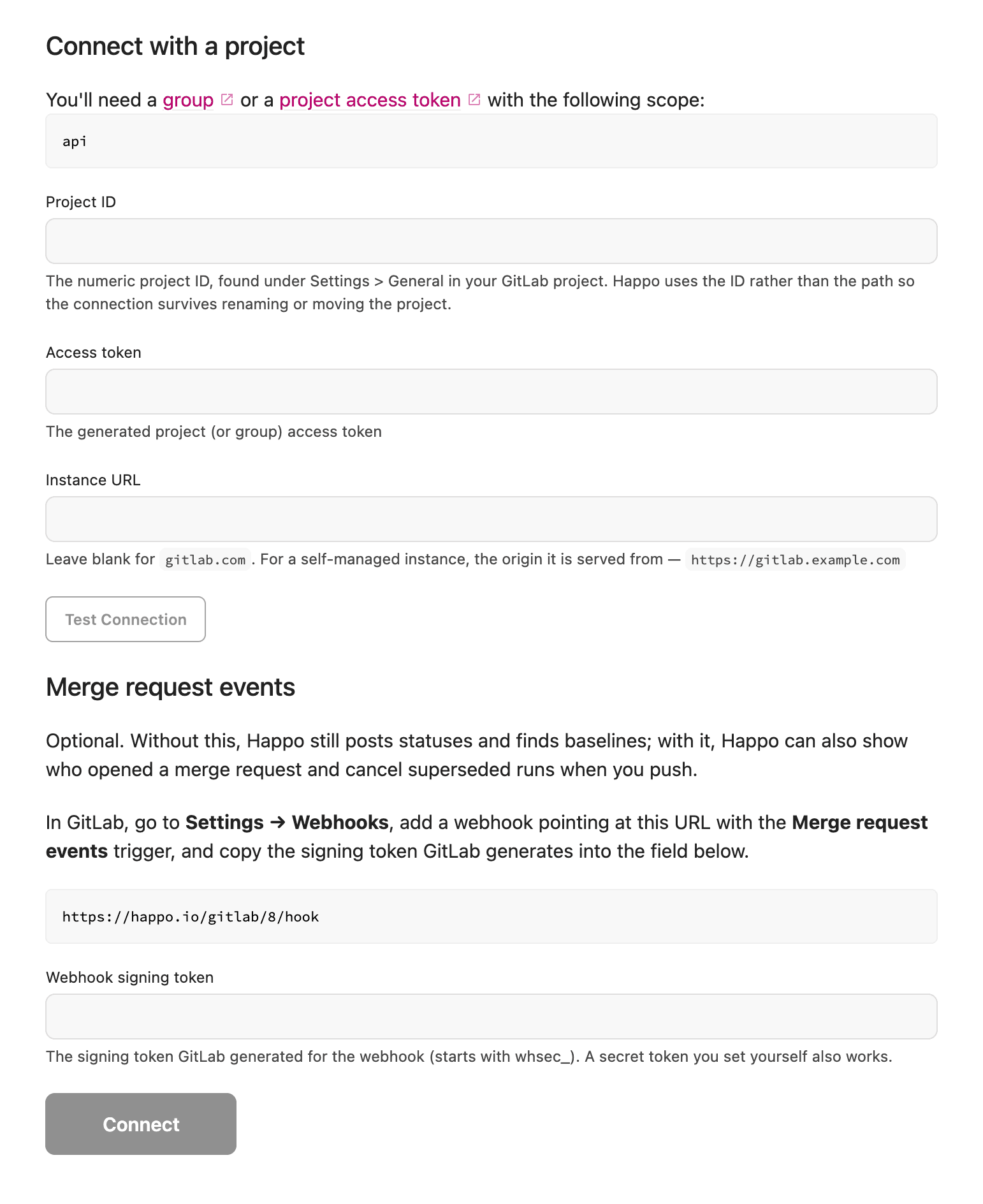
If you're running self-hosted GitLab, that's covered. You may need to allowlist our IP addresses to get this working, just reach out to support@happo.io when you are ready.
Using something we don't support yet? Tell us!
Happo already supports GitHub, GitHub Enterprise, Bitbucket, Azure DevOps, and now GitLab. If Happo doesn't support what you are using, email support@happo.io, even if you aren't ready to sign up yet.
And if you're on GitLab and you try this in the next few weeks, I'd love to hear how it goes. Especially if it goes badly. That's how the word "experimental" comes off.


