
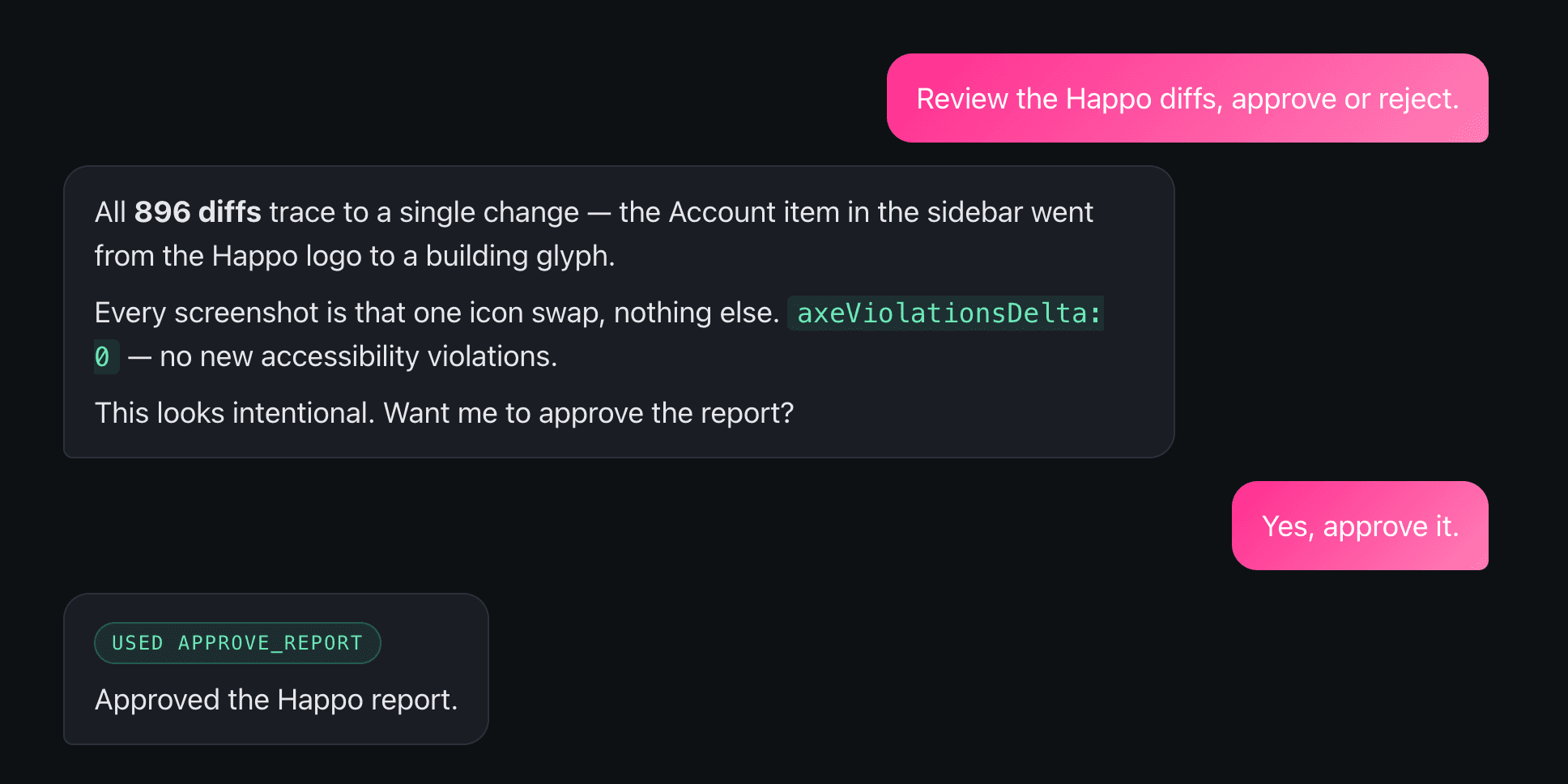
A while back I changed one icon. The Account item in our sidebar went from our Happo logo to a building glyph. A one-line change, the kind you make without much thought.
Then Happo reported back: 896 diffs.
If you've run visual regression testing on a real app, you know the feeling. 896 is the number that makes you sigh. Nobody is going to carefully review 896 screenshots. You spot-check dark mode and light mode, maybe a couple of screen sizes, then you approve and hope you didn't miss something on the 47th page variant.
This time I didn't do any of that. I told Claude one sentence: "Review the Happo diffs, approve or reject." About a minute later it had worked through all 896, written up exactly why each one existed, confirmed zero new accessibility violations, and approved the report. I watched it happen.
That's what our new MCP server does.
What "review the diffs" actually looks like
Here's the thing that makes this work: agents like Claude and Copilot already have access to your code change. So when the diffs arrive, the agent knows what UI changes it should be expecting and can act accordingly.
On the 896-diff icon swap, it didn't just shrug at the number. It flagged it first: "896 diffs is far more than I'd expect from a one-icon swap." Then it went and figured out why. It queried the comparison structurally, broke the diffs down by component and browser, and worked out the blast radius: roughly 100 page variants times 5 different browsers at a few different viewport sizes. Every ui/pages/* story renders the sidebar that contains the Account nav item, and the icon gallery renders the icon directly. A single icon swap legitimately touches every page snapshot.
It didn't stop at the math. It pulled the actual before/after images for the icon gallery and a page-in-context, confirmed that only AccountIcon changed and ProfileIcon was still a person, checked that axeViolationsDelta was 0, and approved both the Storybook and Cypress comparisons. With a documented rationale I could read top to bottom.
A human reviewer opens 896 diffs and does some spot-checking. Maybe dark/light mode, maybe large/small screens, and that's it. No one carefully reviews all of those changes. Claude actually did the structural analysis that I'd otherwise wave at, and it left an audit trail behind.
The flake catch
It is also good at catching flake, and there's a smaller example I like better for showing the reasoning.
I was working on a change to the dashboard sidebar. Six Playwright diffs came back, plus one Storybook diff on a page called EditProjectPage, which my PR never touched. Claude looked at the metadata, cross-referenced the changed files, and made a call on each.
The six Playwright diffs were the start page's "recent changelog" widget reflecting a new changelog entry. A new "Subscribe to Happo News" link appeared, the oldest entry rolled off. Claude diffed the ARIA snapshots by hand to confirm it, saw the exact word-level change, and approved them as intended.
The Storybook diff was different. As Claude put it: "The Storybook diff is a focus-state flake: the before baseline shows the 'Name' input with a pink focus ring; the after shows it unfocused. Nothing else differs, and EditProjectPage is a page my PR never touches. It's non-deterministic autofocus timing, unrelated to this change." It reported that one as flake and approved the rest.
That whole session took about 20 seconds. It would have taken me a few minutes. I went back and verified the focus-ring thing myself that time, just to be sure. So far it hasn't mis-flagged anything as flake. They've always been right. But we are just getting started with the MCP so our sample size is still small.
Where to stay in the loop
The Happo MCP does have some real limitations.
Claude approved 896 diffs based on sampling a couple of images and reading the component breakdown. The structural reasoning was sound, and the blast radius checked out. But sampling is sampling. If that icon change had also broken something on a page variant that wasn't in the sample, would it have caught it? I don't have enough experience yet to promise that it would.
So here's how I'd frame it. I'm more confident about Claude analyzing the structure of the diffs and mapping them against the screenshots. I'd be more cautious about making bold assumptions on very large diffs. The right posture is to ask Claude to flag the cases where it isn't 100% sure rather than always auto-approve. You can also instruct it to be extra cautious with large diffs and spot-check a few more, just to be safe.
This is built for the engineer who wrote the code. You know what changed, so you're the best-positioned person to tell Claude what to expect and to judge whether its reasoning holds up. It does the cross-referencing work you'd otherwise do by hand, faster, with a rationale you can read.
Why it lives on the server
Context is key for agents. The problem is that we don't want access to our customers' codebases, and we care a lot about privacy. The MCP fills that gap in a way I think is elegant: Claude already has your code in front of it, so it brings the context. Happo brings the diffs. We never touch your repo, we don't have access to your code.
When we started building, our first open question was where the MCP should live. I'd seen some shipped as npm packages and others that live on the server. I attended a talk at Confetti in Stockholm where they presented their MCP, then built a test MCP for a side project of mine, and the server-side path was clearly the shorter one for Happo.
Johannes at Confetti made an important point. Their MCP was a multi-purpose thing. We realized we could make something more powerful by scoping ours tightly: in a repo, in the context of a PR, with the agent already having access to the source code.
We did explore auto-generating the MCP from an OpenAPI spec to expose the entire public API, but we didn't go that route. Many of our endpoints are about creating reports, managing jobs, uploading screenshots, and none of those had a clear use case for an agent reviewing a PR. Flooding the agent with endpoints it won't use makes it worse at the one thing it's there to do. So we focused on the main path: reviewing comparison reports. (We kept the OpenAPI spec around anyway. It's useful documentation, and we now use it to check the correctness of our API responses in our test suite.)
Setting it up
The MCP is in beta. It's stable enough to use daily (we do), but it's our first swing, so treat it as a beta.
It isn't in the Claude or Cursor marketplace yet, so you'll add the server URL manually. Full instructions are at happo.io/docs/mcp.
It's designed to work well with an agent running in a repo, in the context of a PR. The MCP itself is agent-agnostic, so it should work with most LLM tools. We've tested it with Claude and Cursor so far.
Once it's installed, the workflow is the one sentence from earlier: "Review the Happo diffs, approve or reject as you see fit."
Let us know
We genuinely want to hear how the Happo MCP works for you. Send feedback to support@happo.io. A few things we'd love to know:
- Does it not work in your AI tool? We've tried Claude and Cursor so far.
- Are there things you wish the MCP could do that it can't yet? What other clear use cases have we missed?
- Are there situations where you used it and it didn't work as well as you wanted?
We're eager to partner with people on making this work well for their actual workflows. If you've ever stared down a 896-diff report and approved it on faith, I'd especially like to hear from you.

